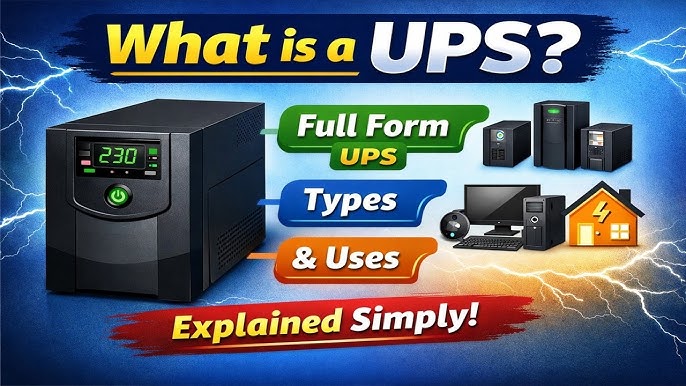
Many users ask what is the function of ups in computer, and the answer is more useful than a simple “backup power” reply. A UPS, or uninterruptible power supply, helps a computer stay protected when the electricity supply is unstable, interrupted, or noisy. It gives the system a brief window to keep running or shut down safely, which helps reduce data loss, file corruption, and hardware stress. In many home and office setups, this small device plays a very important role in keeping daily work safe and steady.
A UPS is not the same as a normal extension board or a basic power strip. It is designed to watch incoming electricity, store energy, and react quickly when the supply drops or fails. That quick response matters because computers can lose unsaved work in seconds, and sudden shutdowns may damage system files. Wikipedia and TechTarget both describe a UPS as a device that provides near-instant protection and short-term power when the main supply is interrupted.
Understanding the UPS in simple words
The simplest way to think about a UPS is as a safety bridge between the wall socket and your computer. Under normal conditions, it lets electricity flow through and keeps its internal battery charged. When power fails or becomes unstable, it shifts to stored energy so the computer does not stop immediately. That short support period is usually enough to save work, close applications properly, or wait for a generator or other source to start.
This makes the UPS especially useful in places where voltage changes are common. It is also valuable where even a brief interruption can create serious problems, such as offices, labs, workstations, medical systems, and small server rooms. In those settings, continuity matters just as much as raw power. A UPS helps maintain that continuity by acting as a buffer between the computer and the electrical supply.
Why computers need a UPS
Computers depend on stable power more than many people realize. A sudden outage can interrupt downloads, break a file transfer, damage open documents, or force a hard restart. Repeated hard restarts can also increase wear on components over time. That is why the function of a UPS is not only to provide emergency electricity, but also to support safe computer use in ordinary daily work.
In practice, many users rely on a UPS as a quiet guardian. They may not notice it during normal work, but they notice it immediately when the lights flicker. Instead of the computer shutting off at once, the UPS keeps the system alive long enough for the user to react. This is one of the biggest reasons people value it for desktop computers, routers, monitors, and small office equipment.
Main functions of a UPS
A UPS does several things at once, and each one matters in a slightly different way. First, it offers emergency power for a short period when the main source fails. Second, it helps shield the computer from common power problems such as surges, sags, spikes, noise, and brief frequency changes. Third, it supports safe shutdowns so the operating system and files are closed properly. These are the core reasons a UPS is considered a protective device rather than just a battery box.
Another useful function is power conditioning. In many environments, electricity may technically be “on” while still being poor in quality. The supply may fluctuate enough to disturb sensitive electronics even if it does not fail completely. A UPS smooths those minor problems so the computer receives cleaner power. That can improve stability and reduce the chance of sudden crashes during normal use.
How a UPS works behind the scenes
At a basic level, a UPS contains an internal battery and circuitry that monitors the incoming electricity. When the supply is healthy, the system keeps the battery charged and passes power onward. When the input falls outside safe limits, the UPS changes mode and uses stored energy to keep the connected devices running. The key point is speed: the transfer happens quickly enough that the computer often does not shut down immediately.
Different UPS designs handle this handoff in different ways. Some switch only when power fails, while others continuously process the electricity to give a more stable output. Wikipedia describes the three common categories as standby, line-interactive, and online systems. Each design balances cost, protection, and response quality in a different way.
Standby UPS units are usually the simplest. They let the connected device run directly from the wall until a problem appears, then they switch to the battery path. Line-interactive models add better voltage handling, which helps them correct small fluctuations without always relying on the battery. Online UPS units use continuous double conversion, which means the load is fed through a more constant power path and can be better for sensitive equipment.
The role of a UPS during a power failure
The most visible job of a UPS is to buy time. When the electricity stops, even a few minutes can be enough to save a document, finish a transaction, or shut down a computer in the right way. TechTarget explains that a UPS allows a computer to keep running for at least a short time when the incoming power is interrupted, which is exactly why it is so useful for everyday users.
That short time is more important than it may seem. A safe shutdown preserves open work and protects the file system from sudden interruption. Without that window, the operating system may be forced to stop instantly, and that can create repair work later. In a home setting, the issue may be an inconvenience; in a business setting, it may affect productivity, records, and customer service.
Why the answer matters in daily use
Here is where the function of a UPS becomes very practical. The phrase what is the function of ups in computer usually leads to one answer, but the real value is broader: it protects work, reduces interruption, and keeps technology calm during unstable electricity. That matters whether the machine is used for study, office tasks, design work, or simple web browsing.
A UPS also helps users feel more confident while working. People are less afraid of sudden power loss when they know there is a short safety cushion in place. That can be especially helpful during important presentations, online meetings, print jobs, or long editing sessions. The benefit is not only technical; it is also mental, because stable power creates a smoother work habit.
Related reading from Business To Mark
If you are exploring nearby topics, Business To Mark has several relevant guides on computing and technology, including What Is Utility Computing in Cloud Computing?, What Is the Role of Computer in Hospital: Transforming Healthcare for Better Outcomes, and What Is Meant by a Dedicated Computer? A Complete Guide for… These articles sit in the same technology and business knowledge space and can deepen your understanding of how computers support modern work.
Those resources are useful because they show how computers serve different roles in different environments. One article looks at cloud delivery models, another focuses on computer use in healthcare, and another explains dedicated systems. Together, they help frame the UPS as part of a wider picture: computer reliability is not only about the device itself, but also about the environment around it.
UPS as protection, not just backup
Many people think a UPS is only for emergencies, but that idea is too narrow. It does provide emergency power, yet it also protects against disturbances that happen before a full outage. These disturbances include voltage spikes, surges, sags, and electrical noise. Huawei’s overview notes that a UPS helps prevent damage from unstable power and supports smooth device operation. Schneider Electric also describes UPS systems as devices that provide instant backup during outages or fluctuations.
That wider protection is one reason a UPS is recommended even in places where power cuts are not frequent. A computer can still suffer from imperfect electricity, and repeated exposure to that kind of power may shorten the life of internal parts. In that sense, the UPS works quietly in the background as a shield for the whole setup.
Why clean shutdown is such a big deal
A safe shutdown may look ordinary, but it is one of the most important UPS functions. Operating systems write many small pieces of data while they run, and sudden interruption can leave those pieces incomplete. That is one reason why hard power loss can cause file problems, startup trouble, or unfinished updates. A UPS gives enough time to close everything properly.
This matters for both personal computers and shared systems. A student may only lose an essay draft, while a business user may lose client data or work already in progress. The UPS does not replace good saving habits, but it strengthens them by giving the user a chance to respond before the machine goes dark.
Different types of UPS systems
UPS systems are usually grouped into three common types: standby, line-interactive, and online. Standby units are often used for simple home and small office needs. Line-interactive units are better at handling minor voltage changes. Online units are typically chosen when power quality is especially important, because they keep the connected load continuously isolated from many input issues. Wikipedia’s overview presents these three categories as the main modern UPS designs.
Choosing between them depends on the use case. A student desktop may not need the highest-end model, while a business workstation or critical lab computer may benefit from stronger protection. The right choice is less about buying the biggest unit and more about matching the device to the computer’s needs and the local power environment.
What a UPS can and cannot do
A UPS can keep a computer running for a limited time, but it is not meant to support long hours of use on battery alone. Most systems are designed for short runtime so that people can shut down properly or wait for another power source. Wikipedia notes that the on-battery time of many units is relatively short, often only a few minutes. That short duration is still very valuable because it is enough for orderly action.
It is also important to understand that a UPS is not a substitute for good electrical planning. It should be part of a wider protection setup, not the only layer of safety. For larger offices or important installations, users may combine it with proper wiring, surge protection, and backup power planning. The UPS is strong, but it works best when it is part of a sensible system.
The middle point every user should remember
The easiest way to explain what is the function of ups in computer is this: it keeps the computer safe when electricity is unreliable, and it gives you time to react. That one sentence captures both the technical and practical value of the device. It protects hardware, preserves data, and reduces the stress that sudden shutdowns can bring.
In real life, that means the UPS is not a luxury for serious users. It is a useful tool for anyone who values stability, whether the computer is used for school, home office work, content creation, or small business tasks. The device may be small, but the effect on safety and continuity can be large.
Benefits of using a UPS with a computer
One major benefit is reduced data loss. If electricity disappears while a document is open, the UPS gives the user a chance to save it. Another benefit is reduced hardware stress, since sudden shutdowns are harder on electronic systems than planned shutdowns. A third benefit is stable workflow, because the user can continue working through a brief power interruption instead of stopping immediately.
There is also a cost benefit that people sometimes overlook. Replacing damaged work, restoring lost files, or dealing with interrupted tasks can take more time than many users expect. A UPS cannot remove every risk, but it can greatly reduce the chance of small electrical problems becoming larger and more expensive problems.
Where UPS units are most useful
A UPS is valuable in many settings, but it is especially useful where a brief interruption causes real trouble. That includes offices with desktop computers, workstations used for design or editing, internet equipment that must remain active, and small systems that cannot simply stop without consequences. The technology is widely used because it supports continuity in places where interruption is inconvenient or harmful.
It is also helpful in regions where electricity is uncertain or unstable. In such places, the UPS may be used almost every day, not just during rare emergencies. Even a short voltage drop can be enough to disturb a computer, so steady protection becomes part of normal routine rather than an occasional extra.
How to choose the right UPS
When selecting a UPS, the first step is to identify what you want to protect. A desktop computer alone will need less capacity than a computer with a monitor, router, and external drive attached. The second step is to think about runtime. A short runtime is usually enough for saving work and shutting down safely, while longer runtimes may be needed for more demanding environments.
The third step is to match the UPS type to the quality of your power supply. If your electricity is generally stable, a simpler unit may be enough. If your supply often changes or dips, a line-interactive or online model may make more sense. APC and Schneider Electric both emphasize that UPS systems are meant to provide reliable backup and protection, but the exact design should suit the environment.
Maintenance and care
A UPS works best when it is checked from time to time. Batteries age, just like other parts of a system, and their runtime may decline over the years. That is why users should not assume the device is always at full strength just because the lights on the front still turn on. Regular checks help ensure the unit is still ready when needed.
It is also wise to keep the UPS in a safe place with enough ventilation and to test it periodically under controlled conditions. Good care helps the system remain dependable, and dependability is the entire point of owning one. A protected computer is only as safe as the unit that stands between it and unstable electricity.
A practical example from everyday life
Imagine someone working on an assignment, preparing a report, or editing an important file when the lights suddenly go out. Without a UPS, the computer stops at once and the work may be lost or damaged. With a UPS, the user can save the file, close the program, and switch the machine off properly. That simple difference can prevent a lot of frustration later.
The same idea applies in small offices. A UPS may keep a network device or desktop active just long enough to finish a process or prevent interruption. It does not solve every power issue, but it gives the user a chance to respond instead of being forced into an instant shutdown. That is a powerful advantage.
A broader reference you can explore
For a broader background explanation, the Wikipedia page on uninterruptible power supply gives a solid overview of the device, its purpose, and its common designs. That resource is useful when you want a plain-language starting point before reading more technical material.
If you prefer a more product-focused explanation, Schneider Electric’s UPS category page and related APC material also describe the device as a source of instant backup and protection for connected electronics. Those sources are helpful for understanding how UPS units are presented in real-world use.
Final thoughts
A UPS is one of those devices that becomes most valuable when something goes wrong. Its job is not flashy, but it is extremely practical: it keeps the computer protected, gives the user time, and helps prevent loss when power becomes unstable. That is why people who work with computers seriously often consider it an essential accessory rather than an optional extra.
In short, the UPS supports safe computing in a very direct way. It stands between the computer and power problems, helping the user stay calm, stay productive, and shut down safely when needed. For anyone who depends on a computer, that protection is worth having.