If your TV is not smart, or its apps feel slow and outdated, a small streaming device can fix both problems for a modest price. The choice looks confusing, because several well-known brands sell sticks, boxes and dongles that appear to do the same thing. In practice the right device depends on four things: the ports on your TV, the apps you watch, the picture quality your screen can show and how much you care about speed and extras such as gaming or voice control.
This guide explains the main device types, what each spec means in plain language and how to match a device to your living room. At the end you will find a quick picker that suggests a type based on your answers. Prices and features change often, so confirm details on the official product page before you buy.
- 100% free
- Call direct
- Voice search
- Urdu & English
The main types of streaming devices
| Type | Best for | Pros | Trade-offs |
|---|---|---|---|
| Basic HD stick | Older HD TVs and bedrooms | Cheapest, tiny, easy setup | No 4K, slower menus |
| 4K stick | Most modern TVs | Good value, supports HDR on many models, small | Less storage and power than a box |
| Streaming box | Main living room TV and heavy users | Faster, more ports, often better remotes | Costs more, bigger |
| Premium box | Home cinema fans and gamers | Top performance, advanced audio and video support | Highest price, more than many people need |
Specs that matter, explained simply
- Resolution. Full HD is fine for small or older TVs. Choose 4K only if your TV supports it, otherwise you are paying for something you cannot see.
- HDR. High dynamic range improves contrast and brightness on supported TVs. Several formats exist, so check that the device and your TV share at least one.
- Dolby Atmos. This is a surround audio format. It matters if you own a compatible soundbar or receiver. Our guide on soundbars versus TV speakers explains when the upgrade is worth it.
- Wi-Fi support. Newer Wi-Fi standards help in crowded homes. If your TV sits near the router, an Ethernet connection is even more stable.
- Storage and memory. More memory keeps menus smooth and lets you install more apps.
- Remote features. Voice search, shortcut buttons and TV control through infrared or HDMI make daily use more pleasant.
Check your TV before you buy
Look at the back and side of your TV for an HDMI port. Almost every device needs one. If your TV is a 4K model, check whether the port you plan to use supports 4K and HDR, because some TVs label only certain ports for the best picture. If you are unsure what your screen can do, our comparison of OLED, QLED and Mini LED TVs explains the picture features you may already have.
The U.S. government backed ENERGY STAR program also publishes information about the energy use of electronics, including TVs and set-top devices, which is worth a look if power use matters to you.
Find the right device type
Answer three quick questions and the picker will suggest a device type. It runs in your browser and saves nothing.
- Pick the answer that fits your setup.
- Press the button to see a suggested type.
- Compare current models on the official sites before buying.
Free apps and subscriptions
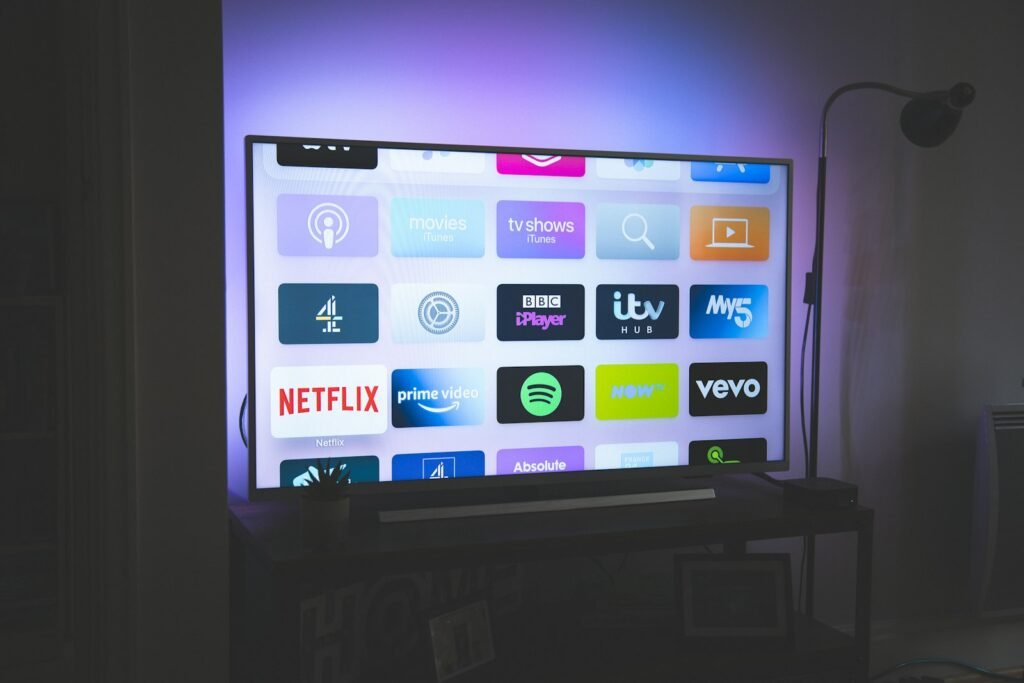
A device is only the doorway. What you watch depends on your subscriptions, and these add up quickly. Before you buy, list the services you use and check that each has an app for the device. If your subscription costs are growing, try our streaming subscription rotation calculator to see how rotating services can reduce your monthly spend. If you are new to anime streaming, our guide to start watching anime shows where to begin.
Questions to ask before you buy
- Does the device have apps for every service I pay for today?
- Does my TV have a free HDMI port that supports the picture quality I want?
- Is my Wi-Fi strong enough near the TV, or do I need a cable?
- Will the remote control my TV volume and power so that I can put the old remote away?
- How long does the maker promise to provide software updates?
- Can I return it easily if it feels slow in my home?
Write down the answers before you shop. It takes five minutes and prevents most returns. A device that fits your TV, your apps and your network will feel fast and simple, while a mismatched one will frustrate you every evening. If you share the TV with family, also think about profiles, parental controls and how easy it is for everyone to find their favourite shows, because ease of use matters as much as raw speed for a device that the whole household uses every day.
Setup tips for a smooth start
- Plug the device into the right HDMI port and switch the TV to that input.
- Connect to your fastest Wi-Fi band, or use a cable if your TV is close to the router.
- Sign in to your streaming accounts one by one and remove services you no longer use.
- Turn on the best picture and audio options that your TV supports.
- Update the device software, because updates often fix speed and app problems.
Mistakes to avoid
- Buying a 4K device for an HD TV.
- Ignoring your Wi-Fi quality, then blaming the device for buffering.
- Choosing by price only without checking app availability.
- Plugging a 4K device into an HDMI port that does not support 4K.
- Skipping software updates.
When to upgrade the TV instead
A streaming device can add apps and speed, but it cannot improve a weak panel. If your TV has poor contrast, a dim screen or a very slow built-in system, a better TV may give a bigger improvement than any device. If the picture itself already pleases you, a device is the cheaper path. Compare what you see today with what you want to see, and decide which gap is larger. Many households do best with a decent TV and a small stick, which keeps the system flexible when apps and standards change over the next few years.
Frequently asked questions
Do I need a streaming device if I have a smart TV?
Not always. If the built-in apps are fast and updated, you may not need one. A device helps when the TV is slow, lacks apps or no longer receives updates.
Is a 4K streaming device worth it?
Yes, if your TV supports 4K and you watch content that offers it. On an HD TV there is no benefit.
Can a streaming device work without Wi-Fi?
Many models can use an Ethernet cable through an adapter. Without any internet connection, streaming apps will not work.
How long do streaming devices last?
Many last several years, but software support and app compatibility eventually fade. Slow menus and missing apps are signs that it is time to replace one.