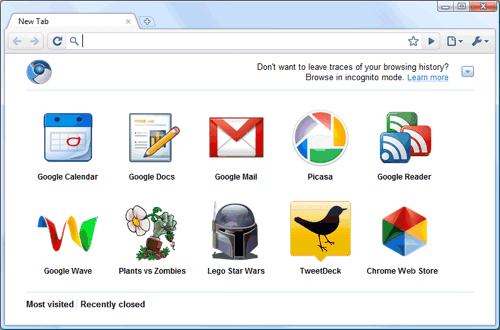
At its core, the Chrome Web Store is an online store specifically built for the Chrome browser. It allows users to browse categories like productivity, shopping, accessibility, fun, and developer tools. You can search for specific items, read reviews, check ratings, view screenshots, and see detailed permissions before installing anything. The official site (chromewebstore.google.com) features curated sections such as “Favorites of 2025,” “Editors’ Picks,” and trending collections to help users find high-quality additions quickly.
Unlike general app stores, the Chrome Web Store focuses primarily on browser enhancements:
- Extensions — Small software programs that add new features or modify existing ones in Chrome. Examples include ad blockers, password managers, grammar checkers, note-taking tools, and tab organizers.
- Themes — Visual customizations that change Chrome’s appearance, like new tab backgrounds, colors, and icons.
- Web apps (less emphasized now) — Progressive web apps or shortcuts that behave like installed applications.
Google maintains strict policies for items listed in the Chrome Web Store to ensure security, though users should always review permissions and developer ratings.
Why the Chrome Web Store Matters in 2026
In today’s fast-paced digital world, Chrome remains one of the most widely used browsers globally. The Chrome Web Store plays a key role in making it more than just a tool for surfing the web—it turns Chrome into a highly personalized platform. Whether you’re a student needing better note-taking, a professional streamlining workflows, or someone who simply wants a dark mode everywhere, the Chrome Web Store delivers.
Recent updates have improved discoverability with features like top charts, better categorization, and AI-recommended picks. Developers frequently ask how to gain visibility here because competition is fierce, but high-quality extensions with strong ratings and useful features rise to the top through search algorithms, user engagement, and editor spotlights.
For businesses and enterprises, Google has introduced curated versions of the Chrome Web Store that allow IT admins to pre-approve extensions, improving security and productivity across teams.
How to Use the Chrome Web Store Effectively
Getting started is simple:
- Open Chrome and navigate to chromewebstore.google.com (or search for “Chrome Web Store” directly in the browser).
- Browse categories or use the search bar for specific needs (e.g., “AI writing assistant” or “dark theme”).
- Read descriptions, check user reviews (ratings are crucial for quality), and note required permissions.
- Click “Add to Chrome” — confirm any prompts, and the extension activates instantly.
- Manage everything via chrome://extensions/ where you can enable/disable, remove, or update items.
Popular categories in recent years include:
- AI tools (for writing, summarizing, image generation)
- Productivity (tab managers, focus timers, email enhancers)
- Privacy & security (VPNs, tracker blockers)
- Shopping helpers (deal finders, price trackers)
- Accessibility options (screen readers, color adjustments)
Tips for Safe and Smart Usage
While the Chrome Web Store is generally safe thanks to Google’s review process, follow best practices:
- Stick to extensions with high ratings (4+ stars) and many users.
- Be cautious with broad permissions (e.g., “read and change all your data on all websites”).
- Regularly review installed items and remove unused ones.
- If something breaks or behaves oddly, use Chrome’s built-in troubleshooting or contact the developer via the store page.
The Future of the Chrome Web Store
As Chrome evolves with more AI integration, Manifest V3 changes (affecting how extensions work), and enterprise features, the Chrome Web Store continues adapting. It remains the go-to place for anyone wanting to extend Chrome’s capabilities beyond the defaults.
In short, whether you’re new to Chrome or a long-time user, exploring the Chrome Web Store unlocks endless possibilities to make browsing faster, safer, more productive, and more enjoyable.