The Apple App Store remains one of the most carefully curated digital marketplaces available. With millions of titles, finding software that genuinely improves daily life can feel overwhelming. The best App Store apps stand out through thoughtful design, reliable performance, strong privacy practices, and real usefulness rather than gimmicks.
Whether you need better organization, creative tools, health tracking, or smarter AI assistance, the right downloads can transform an iPhone or iPad from a communication device into a powerful personal system. This guide highlights standout options across major categories, drawing on recent App Store Awards, expert roundups, and consistent user feedback. It focuses on apps that deliver lasting value in 2026.
You will find practical recommendations, comparisons of strengths and limitations, and tips for getting the most from each one. The goal is simple: help you select tools that fit your habits instead of forcing you to adapt to yet another complicated interface.
Why Choosing the Right Apps Matters More Than Ever
Modern iPhones and iPads come packed with capable built-in software. Apple’s own apps handle notes, photos, health data, and messaging competently. Yet third-party developers often push further in specialized areas—deeper customization, smarter automation, niche workflows, or more polished creative features.
The volume of available titles continues to grow. New releases have increased noticeably, partly thanks to AI-assisted development tools that lower barriers for creators. At the same time, quality varies widely. Subscription fatigue is real, and storage and attention are limited resources. Selecting the best App Store apps means prioritizing those that integrate smoothly with iOS features such as Shortcuts, widgets, Focus modes, Apple Intelligence, and seamless iCloud sync.
Strong candidates tend to share several traits:
- Clean, intuitive interfaces that respect Apple’s design language
- Meaningful offline capabilities or efficient data use
- Transparent privacy policies and minimal unnecessary permissions
- Regular updates that keep pace with new iOS versions
- Clear value whether free with optional upgrades or paid upfront
Focusing on these qualities helps avoid clutter and buyer’s remorse.
Top Productivity and Organization Apps
Productivity remains one of the strongest categories in the App Store. The best tools reduce friction rather than add another layer of complexity.
Tiimo: Visual Planning That Feels Calming
Apple named Tiimo the iPhone App of the Year for good reason. Designed with neurodivergent users in mind (including those with ADHD or autism), it turns chaotic schedules into color-coded visual timelines. Tasks become manageable blocks instead of overwhelming lists. An optional AI co-planner helps break larger goals into smaller steps.
It shines for people who respond better to visual cues than traditional to-do lists. The free version covers core features; a subscription unlocks advanced planning tools. Many users report lower stress around daily routines after switching.
Notion: Flexible All-in-One Workspace
Notion continues to serve as a digital second brain for millions. Notes, databases, project boards, wikis, and light AI writing assistance live in one place. On iPhone and iPad it benefits from solid widget support, Handoff to Mac, and Shortcuts integration.
It works especially well for students, freelancers, and teams managing mixed personal and professional information. The free tier is generous for individuals; paid plans add collaboration and higher limits. The learning curve exists, but templates make getting started easier.
Things 3 and Todoist: Focused Task Management
Things 3 offers a calm, Apple-centric experience with a one-time purchase model that many prefer over endless subscriptions. It emphasizes clarity and minimal distraction.
Todoist provides broader platform support, natural-language task entry, and strong collaboration features. Both rank among the most reliable options for capturing and completing tasks without friction.
Other notables include Fantastical for natural-language calendar management and Craft for beautifully designed notes and documents.
Comparison snapshot of leading productivity tools:
| App | Best For | Pricing Model | Standout Strength | Potential Drawback |
|---|---|---|---|---|
| Tiimo | Visual daily planning | Free + subscription | Calming color timelines, AI help | Subscription push during setup |
| Notion | Flexible knowledge base | Free + paid plans | Databases and versatility | Can feel complex at first |
| Things 3 | Simple personal tasks | One-time purchase | Clean design, offline reliability | Limited collaboration |
| Todoist | Cross-platform tasks | Free + Pro | Natural language, labels, charts | Premium features behind paywall |
AI Assistants and Smart Tools
AI has moved from novelty to everyday utility. The strongest AI apps on the App Store feel like helpful extensions of thinking rather than flashy chatbots.
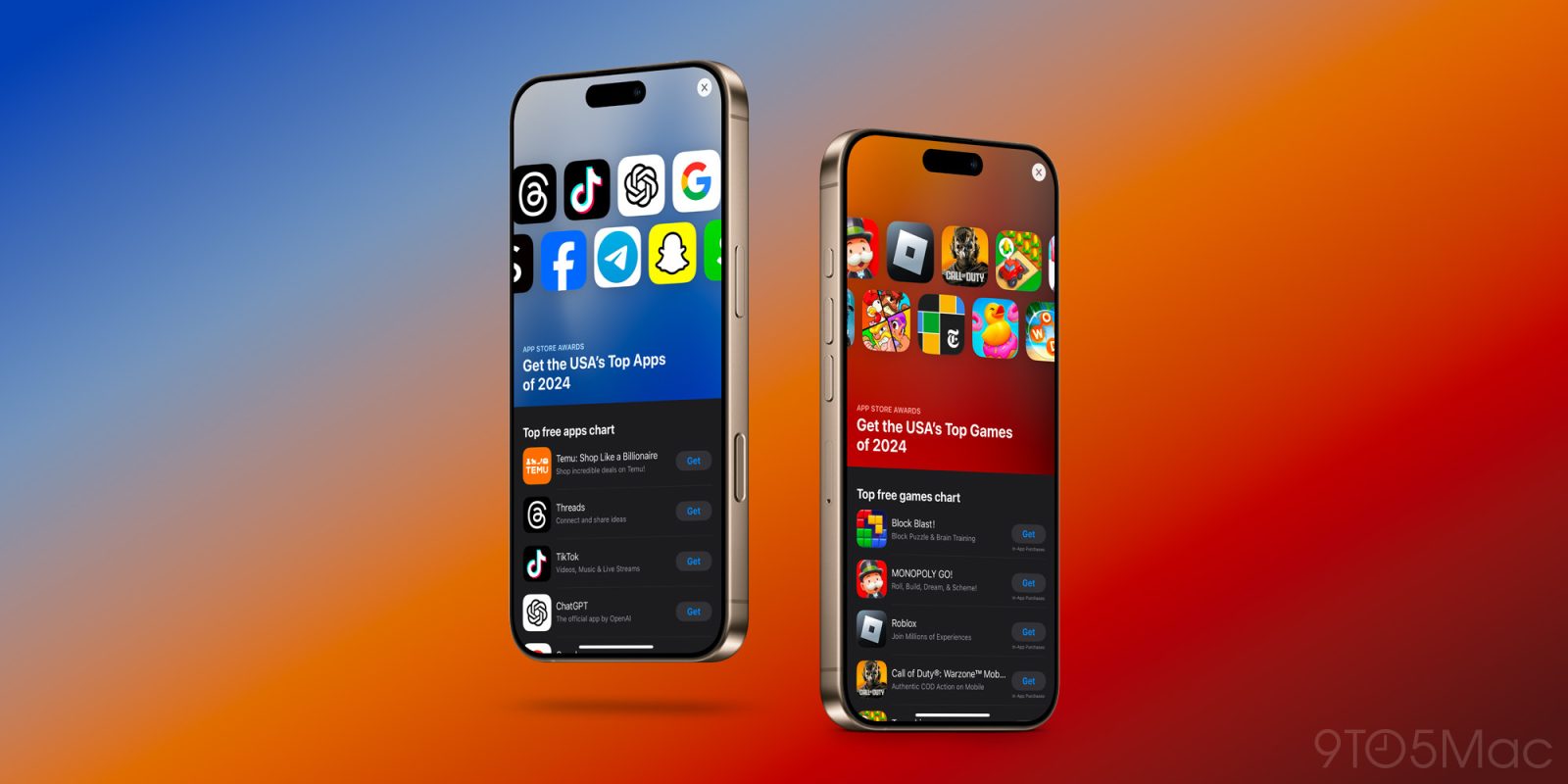
ChatGPT remains a top free download and offers solid writing, reasoning, and voice capabilities with good iOS integration via Share Sheet and Action Button. Claude often earns praise for longer-context analysis and more thoughtful responses on complex projects.
Specialized tools also stand out. Some focus on meeting transcription and action-item extraction, others on document summarization or image understanding. The key is choosing apps that respect privacy and provide clear control over data.
When evaluating AI options, check whether they work offline for basic tasks, how they handle sensitive information, and whether they integrate with Shortcuts for automated workflows.
Creative and Photo Editing Apps
The App Store has long been a home for excellent creative software.
Adobe Lightroom delivers professional-grade photo editing with AI-powered masking, generative remove tools, and tight iCloud Photos integration. It handles ProRAW well and supports organized libraries across devices.
Canva makes design accessible for social posts, presentations, résumés, and short videos. Its template library and AI features lower the barrier for non-designers.
Procreate Pocket brings a substantial portion of the popular iPad illustration experience to iPhone, ideal for sketching and digital art on the go. Acorn and Highland Pro also receive strong recognition for image editing and screenwriting respectively.
For video, Detail (iPad App of the Year) uses AI to simplify editing—removing silences, adding captions, and handling basic cuts so creators can focus on storytelling.
These apps illustrate a broader trend: powerful creative tools no longer require a desktop computer.
Health, Fitness, and Wellness Apps
Apple Watch and iPhone form a strong health foundation. Third-party apps often add community, deeper analytics, or specialized coaching.
Strava earned Apple Watch App of the Year recognition for its community features, segment tracking, and polished design that motivates outdoor activity.
AllTrails remains a favorite for hiking and outdoor navigation with offline maps and crowdsourced trail data. Sleep tracking, meditation, and habit apps continue to evolve, with many offering gentle accountability rather than rigid gamification.
When selecting health apps, prioritize those that work with HealthKit for seamless data sharing and avoid forcing constant notifications.
Everyday Essentials and Utilities
Some of the best App Store apps solve small but frequent problems.
Password managers such as 1Password provide secure storage, passkey support, and convenient autofill that goes beyond Apple’s built-in Passwords app for many users.
Weather apps like AccuWeather deliver hyperlocal forecasts that prove more useful than generic regional data. Reading apps such as Libby (free with a library card) open access to ebooks and audiobooks. Language learning with Duolingo remains engaging and effective for consistent practice.
Navigation, messaging alternatives, and file management tools also belong in this practical category. The best ones disappear into the background until needed.
How to Discover and Evaluate New Apps
Finding quality titles requires a deliberate approach:
- Start with Apple’s editorial collections and annual App Store Awards.
- Check recent expert roundups from established technology publications.
- Read recent user reviews carefully, focusing on comments about updates, battery impact, and customer support.
- Test free tiers or trials before committing to subscriptions.
- Use Screen Time reports to audit which apps you actually open regularly.
Look for apps that support Focus modes, Live Activities, and interactive widgets—these features keep information visible without constant app switching.
Privacy matters. Prefer apps that clearly explain data use and minimize tracking. Apple’s App Privacy labels provide a useful starting point.
Benefits and Potential Drawbacks of Popular Choices
Most highly rated apps deliver clear advantages: time savings, better organization, creative output, or improved habits. The drawbacks usually involve cost (especially subscriptions), learning curves, or occasional feature bloat.
One-time purchase apps like Things 3 or Procreate Pocket appeal to users tired of recurring fees. Free apps with optional upgrades work well when the free tier already solves the core problem.
Real-world scenarios help illustrate trade-offs. A freelance designer may gain more from Lightroom and Canva than from another task manager. A student juggling classes and part-time work may prefer Tiimo or Notion over multiple specialized tools. Someone focused on outdoor fitness will likely value Strava and AllTrails highly.
Matching the tool to the actual need remains more important than chasing the highest download numbers.
Expert Tips for Getting the Most from Your Apps
- Combine apps thoughtfully. Use Shortcuts to move data between them automatically.
- Review subscriptions quarterly. Cancel anything unused.
- Organize the Home Screen and App Library by frequency of use rather than aesthetics alone.
- Enable relevant widgets and Focus filters so the right information appears in the right context.
- Back up important data and understand each app’s export options.
- Keep an eye on App Store Awards and editorial stories for quality signals.
These habits turn a collection of downloads into a coherent personal system.