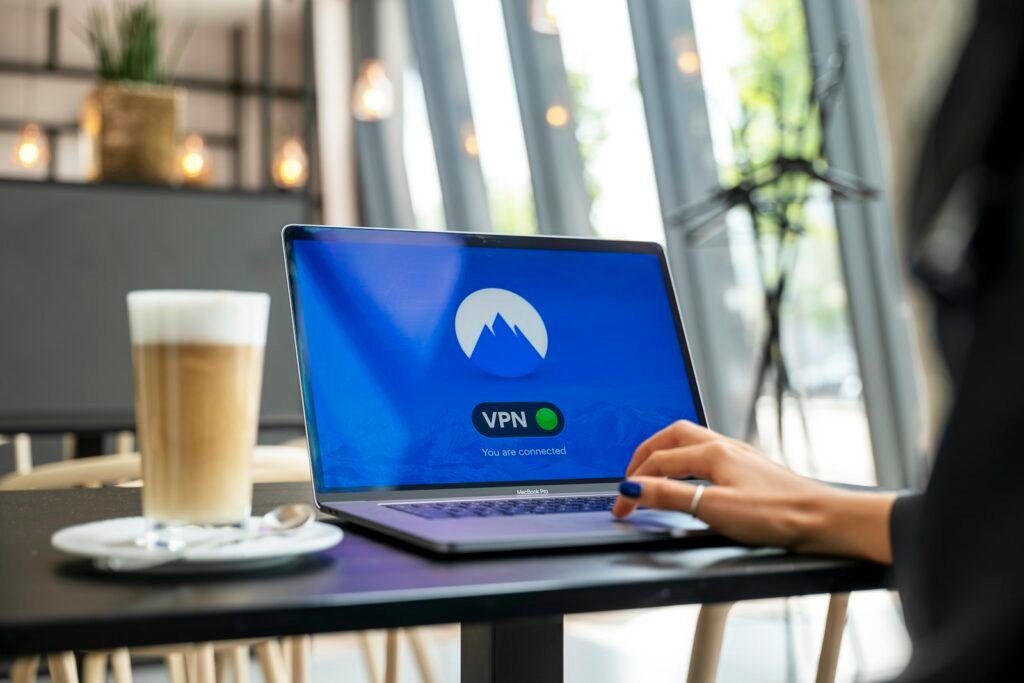
A VPN is most useful in ten everyday situations: on public Wi-Fi, for remote work access, while traveling, to stop your internet provider from seeing which sites you visit, to reduce ad tracking, for safer banking away from home, to test how your site looks in other countries, to avoid some types of throttling, to protect a shared family connection, and to keep a small team’s logins private. It encrypts your connection, but it does not make you anonymous and it is not antivirus.
- 100% free
- Call direct
- Voice search
- Urdu & English
Most people buy a VPN for one reason, then forget it is running. That is a waste, because a good VPN can help with a lot more than unlocking a TV show. The trick is knowing when it actually adds protection and when it just slows you down.
This guide walks through ten real uses, explains what a VPN can and cannot do in each case, and gives you a simple way to decide when to switch it on.
What does a VPN actually do?
A VPN creates an encrypted tunnel between your device and a server run by the VPN company. Anyone watching the local network, such as a café hotspot owner or your internet provider, sees scrambled traffic going to one server instead of the list of sites you open.
The FTC’s guidance on public Wi-Fi points out that most websites now use HTTPS encryption on their own, so a VPN is an extra layer rather than the only thing keeping you safe. It also shifts trust: the VPN provider can see the same traffic your internet provider used to see.
What are the 10 most practical uses of a VPN?
These are the situations where a VPN gives a clear, real-world benefit. Each one is short, so you can jump to the one you need.
1. Is a VPN worth using on public Wi-Fi?
Yes, this is the classic use. Airport, hotel and café networks are shared with strangers, and fake hotspots with names like “Free Airport WiFi” still exist. A VPN encrypts everything leaving your laptop or phone, including apps that are less careful than your browser.
2. Can a VPN help remote workers reach office systems?
Many companies require a business VPN before staff can open internal tools, shared drives or admin panels. This is a different product from a consumer VPN app, but the idea is the same: only encrypted, approved connections get in.
3. Should I use a VPN while traveling abroad?
Traveling means more unknown networks, and some banking or work apps flag logins from new countries. Connecting to a server in your home country can make your connection look familiar to those services, and it keeps hotel Wi-Fi from seeing your traffic.
4. Can a VPN hide my browsing from my internet provider?
Yes. Without a VPN, your provider can see which domains you visit. With one, it only sees that you are connected to a VPN server. The VPN company can now see that information instead, which is why a provider with an audited no-logs policy matters.
5. Does a VPN stop ad tracking?
Only partly. A VPN hides your real IP address from websites, which removes one tracking signal. Cookies, logged-in accounts and browser fingerprinting still work, so pair it with a privacy-focused browser and tracker blocking.
6. Is online banking safer with a VPN?
Banking sites already use strong encryption, so a VPN adds the most value when you are on a network you do not control. At home on your own Wi-Fi, the difference is small. Some banks also block VPN servers, so you may need to pause it for a moment.
7. Can a VPN show me how my website looks in another country?
Yes. Small businesses and marketers use VPN servers to check local search results, currency display, cookie banners and pricing pages in other markets. It is a quick, cheap way to spot problems a real customer would see.
8. Can a VPN stop internet throttling?
Sometimes. If your provider slows down specific services, such as video, encryption hides what type of traffic you are using. If the slowdown is caused by weak Wi-Fi or a slow plan, a VPN will not help. Our guide on how to stop buffering when streaming covers the other causes.
9. Should families protect a shared connection with a VPN?
Many VPN plans cover several devices on one account, and some routers can run a VPN for the whole home. This is useful for teenagers who use public Wi-Fi at school or in coffee shops, and for older relatives who are more likely to join a fake hotspot.
10. Do small teams need a VPN for shared logins?
When a small team logs into the same admin tools from different places, a VPN with a dedicated IP address lets you allow only that IP in your site or server settings. Combine it with a password manager like the one in our 1Password review for much stronger account security.
When does a VPN help, and when does it not?
The table below sums up the ten uses so you can see the real benefit at a glance.
| Situation | VPN benefit | What else you need |
|---|---|---|
| Public Wi-Fi | High | HTTPS sites, auto-join turned off |
| Remote work access | High (business VPN) | Company login and MFA |
| Travel | High | Server in your home country |
| Hiding sites from your ISP | High | Audited no-logs provider |
| Ad tracking | Low to medium | Tracker blocking, private browser |
| Banking away from home | Medium | Official bank app, MFA |
| Checking sites in other countries | High | Servers in the right markets |
| Throttling | Sometimes | A plan fast enough for your use |
| Family devices | Medium | Multi-device plan or VPN router |
| Team admin logins | High | Dedicated IP, password manager |
Should you turn your VPN on right now?
Answer three quick questions and this tool will tell you whether a VPN makes sense for what you are doing.
- Pick the network you are on right now.
- Choose the task you are about to do.
- Press Check and follow the advice.
Are free VPNs good enough?
A few are, but most are not. Free plans usually limit data, servers or devices, and some pay their bills by collecting data. Proton VPN is one of the rare well-known providers whose free plan has no data cap, though it limits server choice and device count. For daily use on many devices, a paid plan from a provider with an independently audited no-logs policy is the safer pick.
What does this look like in a real week?
What mistakes do people make with VPNs?
- Thinking a VPN makes them anonymous. Logged-in accounts still know who you are.
- Installing an unknown free VPN app with vague privacy terms.
- Leaving the VPN on a distant server, then wondering why everything is slow.
- Forgetting that a VPN does not stop malware, phishing links or weak passwords.
- Skipping the kill switch on public Wi-Fi.
Frequently asked questions
Is it legal to use a VPN?
In the United States and most countries, using a VPN is legal. A few countries restrict or ban them, and anything illegal without a VPN is still illegal with one.
Does a VPN slow down my internet?
Usually a little, because traffic travels to the VPN server first. Choosing a nearby server and a modern protocol such as WireGuard keeps the slowdown small.
Do I need a VPN at home?
Not always. At home on your own secured Wi-Fi, a VPN mainly hides your browsing from your internet provider. If that is not a concern, you can leave it off.
Can a VPN protect my phone?
Yes. VPN apps for iPhone and Android encrypt all app traffic, which is especially useful when your phone auto-joins public Wi-Fi.